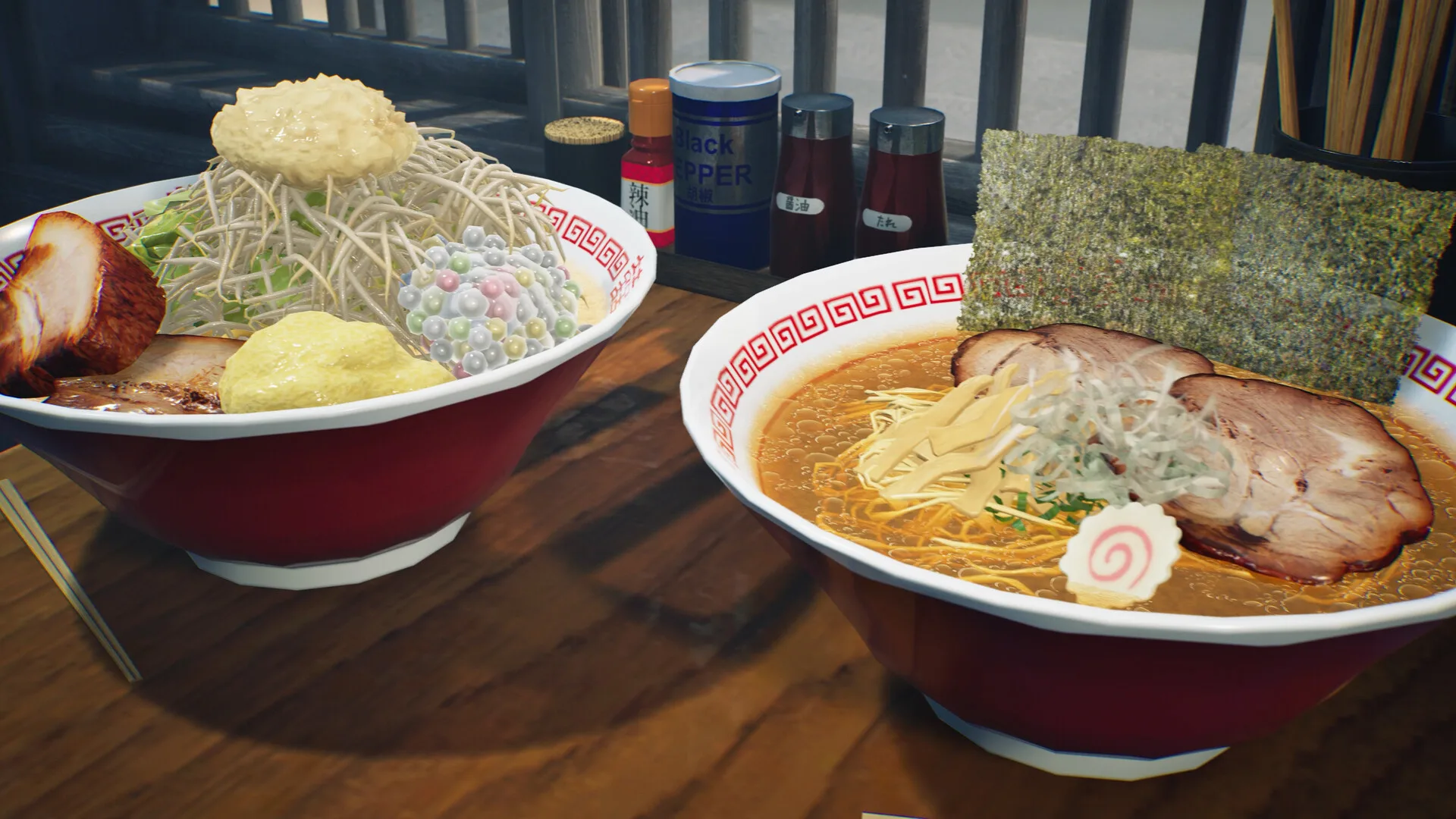
- Japanese Ramen Simulator dedicated server: no official dedicated server support is confirmed as of October 2026
- Player-hosted co-op: matches run through standard online co-op for up to six players
- Best alternative: use a stable host player with wired internet and low latency
- Watch for updates: Early Access patches may add server features, so check Steam news
- Community resource: the official Discord is the fastest place to hear about server plans
Dedicated Server Status in Japanese Ramen Simulator
As of the Early Access release on October 9, 2026, Japanese Ramen Simulator does not have a confirmed official dedicated server feature. The game, developed and published by Wild Dog, delivers its multiplayer experience through standard online co-op sessions that support up to six players, with one player acting as the host. Any service claiming to sell "official Japanese Ramen Simulator dedicated server hosting" should be treated with caution, because no such official offering exists right now.
The announcement trailer below shows what the co-op experience actually looks like, including six-player cooperation and divided kitchen responsibilities.
Video Highlights:
- Up to six players cooperate to run a single ramen shop
- Players divide tasks such as cooking, prep, and serving
- Shared restaurant management is a core system, not a side mode
- Both solo play and online co-op are supported at launch
Because the game is new and popular, third-party sites may advertise fake dedicated server rentals or "early access server keys." Only trust the official Steam store page and the Steam Community Hub for server-related news.
Hosting Options Compared
Even without dedicated servers, players have several practical ways to organize stable sessions. Each option trades off convenience, cost, and control.
| Hosting Option | Max Players | Stability | Cost | Best For |
|---|---|---|---|---|
| Host player (default co-op) | 6 | Good with strong host connection | Free | Most groups and casual play |
| Host on wired home network | 6 | Good | Free | Consistent long sessions |
| Cloud PC running Steam | 6 | Variable | Rental fees | Tech-savvy groups wanting a persistent host |
| Unofficial "server hosting" sites | N/A | Unverified | Risky | Not recommended; no official support |
Standard Co-op Host
- Free and built-in
- Session tied to host being online
- Simplest setup for most players
Cloud PC Host
- Host runs on a rented Windows machine
- Keeps sessions more consistent
- Requires manual setup and monthly cost
Community Sessions
- Join groups via the official Discord
- No hosting responsibility
- Depends on other players' availability
Pick the member with the most stable upload speed and lowest ping as the host. In a kitchen where every second of order delay matters, host lag hurts the whole team more than any individual connection issue.
Step-by-Step: Setting Up a Stable Six-Player Session
Follow this sequence to get a co-op session running as smoothly as possible while dedicated server support remains unavailable.
Verify Game Versions
Make sure every player updated to the same build through Steam. Version mismatches are a common cause of failed joins during Early Access.
Select and Prepare the Host
Choose the player with the most reliable connection, ideally on a wired network, to create the session.
Invite Through Steam
Use Steam friends invites or the in-game session list to bring in up to five additional players.
Assign Roles Before Opening
Before the customer rush starts, agree on who handles prep, cooking, assembly, serving, and cleaning. Clear roles prevent kitchen collisions.
Test With a Short Session
Run one low-pressure service period to confirm latency and role assignments work, then commit to longer sessions.
Groups that assign a dedicated prep worker, a cook, and a service coordinator consistently serve customers faster than groups where everyone crowds the same station.
Troubleshooting Connection Problems
| Problem | Likely Cause | Recommended Fix |
|---|---|---|
| Friends cannot join | Version mismatch | Verify all players updated via Steam |
| Frequent disconnects | Host upload bandwidth | Switch host to a wired, higher-upload connection |
| Laggy kitchen actions | High ping to host | Choose a host geographically central to the group |
| Session drops when host quits | Session tied to host | Schedule sessions around host availability |
| Invite fails silently | Steam overlay or firewall issue | Restart Steam, check firewall permissions |
If connection problems continue across sessions, report them on the Steam Community Hub. Wild Dog has stated that Early Access development will respond to community feedback, and networking reports help prioritize fixes.
What Could Change During Early Access
The game launched into Early Access on October 9, 2026, and the developer has committed to ongoing updates shaped by player feedback. Server architecture is exactly the kind of system that can evolve during this period.
| Possible Future Addition | Current Likelihood | Impact on Players |
|---|---|---|
| Official dedicated server binaries | Not announced | Persistent 24/7 community shops |
| Steam P2P improvements | Likely with patches | Fewer disconnects and less host dependency |
| Cross-platform support | Not announced | Larger player pools for co-op |
| More than six players | Not announced | Larger kitchen teams and busier service |
Follow the official Discord and Wild Dog's YouTube channel for server news. This page will be revised whenever official server features are announced.
Session Readiness Checklist
Before Your Next Co-op Session:
- Confirm all players run the same game version
- Select the host with the most stable connection
- Assign prep, cooking, assembly, and serving roles
- Agree on session start and end times with the host
- Bookmark the Steam Community Hub for patch news
FAQ
Q: Does Japanese Ramen Simulator have official dedicated server support?
No. As of October 2026, neither the official Steam page nor Wild Dog's announcements confirm a dedicated server feature. Multiplayer runs through standard online co-op sessions with a player host, supporting up to six players.
Q: Can I rent a Japanese Ramen Simulator dedicated server from a hosting company?
There is no official server software available to rent. Any third-party site selling dedicated server hosting for this game is unverified and should be avoided until Wild Dog releases official server tools.
Q: How many players can join one Japanese Ramen Simulator session?
The game supports online co-op for up to six players, plus a fully playable single-player mode where one player handles the entire restaurant workflow.
Q: What happens if the host leaves the session?
Because sessions are hosted by a player rather than a dedicated server, the session depends on the host staying online. Plan session lengths in advance and choose a host with a reliable connection.