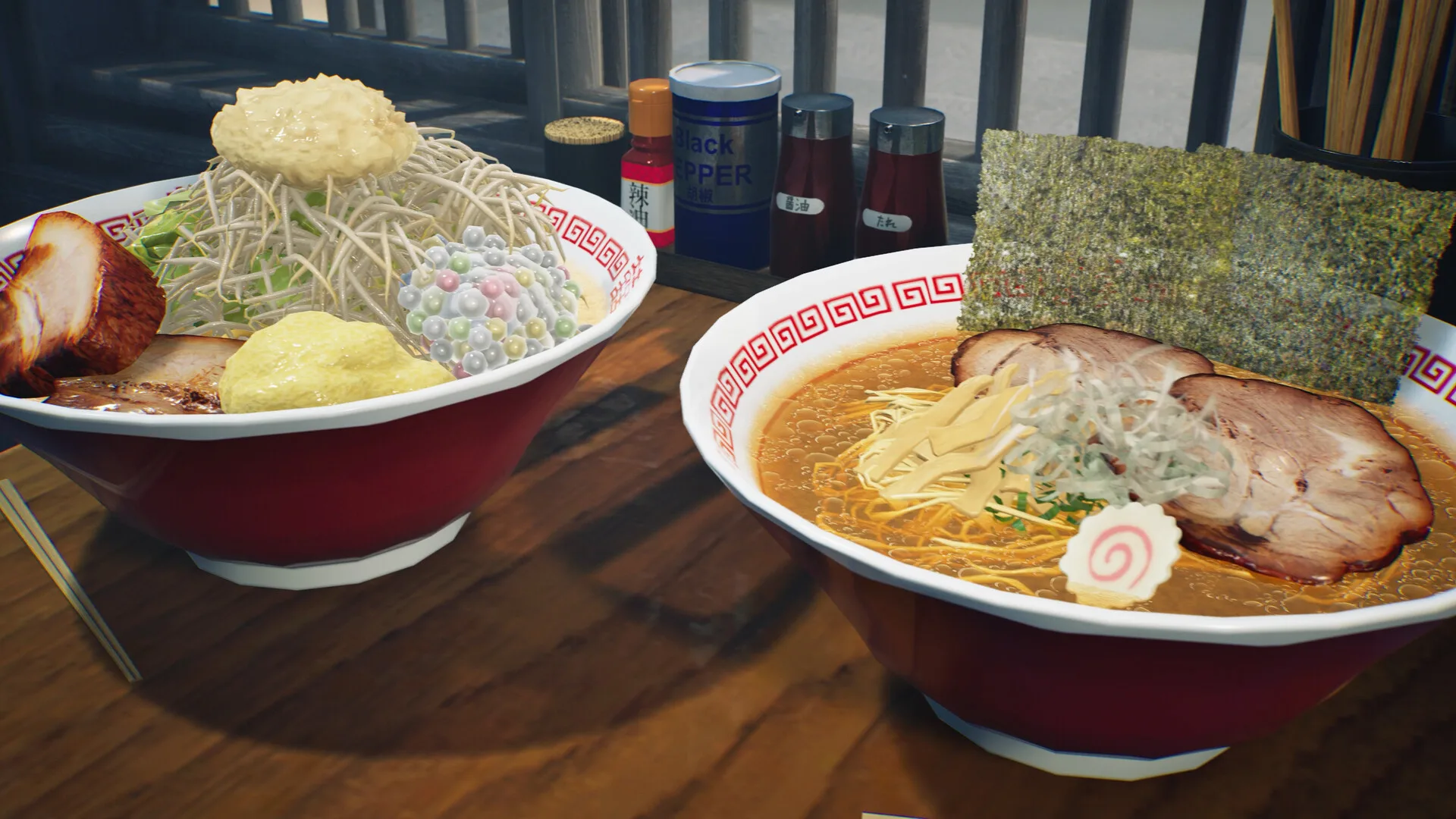
- Japanese Ramen Simulator menu planning combines noodles, broth, and toppings into sellable bowls and original recipes.
- Menu structure: organize items by order frequency and keep prep separate from final assembly.
- Early strategy: start with simple noodle-and-broth bowls, then add topped ramen once the workflow is stable.
- Co-op tip: batch-prep common ingredients before the customer rush in six-player kitchens.
- Profit focus: balance menu variety against preparation time and kitchen congestion.
How the Japanese Ramen Simulator Menu Works
The Japanese Ramen Simulator menu is built around a core production loop: prepare ingredients, cook noodles, combine broth, add toppings, and serve the finished bowl. Every dish on your menu follows this sequence, so the difference between a slow kitchen and a profitable one comes down to how well your menu items are planned and how efficiently your stations are arranged.
The game supports solo play and online co-op for up to six players, and your menu strategy should shift depending on how many hands are in the kitchen. A solo cook needs a tight, predictable menu, while a full six-player team can support more complex combinations and specialty items.
Organize your menu by order frequency. Keep the ingredients for your most-ordered bowls closest to the cooking and assembly stations, and reserve specialty combinations for quieter service periods.
Core Menu Categories and Preparation Flow
Every ramen menu in the game draws from the same component families. Understanding what each category contributes helps you decide which items deserve permanent menu spots.
| Menu Component | Role in the Bowl | Prep Consideration |
|---|---|---|
| Noodles | Base of every bowl | Process through cooking equipment; keep batches ready |
| Broth | Defines the bowl's core flavor | Prepare components ahead of the rush |
| Toppings (chashu, scallions, nori, fish cake) | Customization and value | Match to order requirements exactly |
| Side items (gyoza, drinks) | Added revenue per customer | Only add when main workflow is stable |
Staple Bowls
- Basic noodle-and-broth combinations
- Fast preparation
- Ideal for learning the loop
- Low risk of kitchen bottlenecks
Topped Ramen
- Higher value per bowl
- Practices order accuracy
- Requires organized topping stations
- Best mid-game menu expansion
Custom Recipes
- Original combinations
- Test during low-pressure periods
- Keep successful patterns repeatable
- Balance variety against prep time
Do not stack your menu with complex combinations before your kitchen workflow is stable. Long preparation chains create congestion that delays every order, not just the complicated ones.
Step-by-Step: Building a Profitable Menu
Start With the Core Loop
Open with basic noodle-and-broth bowls only. Use the first days to master preparation, cooking, assembly, and serving without topping mistakes slowing you down.
Add Toppings Gradually
Introduce topped ramen once you serve basic bowls consistently. Confirm each order before assembly instead of building bowls from memory.
Batch-Prep Before the Rush
Prepare frequently used noodles, broth components, and common toppings before peak hours. Keep prepped items close to their relevant stations.
Test Custom Combinations
During quiet periods, experiment with new broth and topping pairings. Keep the combinations that assemble quickly and discard ones that create bottlenecks.
Review After Every Update
Early Access balance changes can shift which combinations earn the most. Recheck your menu after each patch and adjust staples accordingly.
A menu is ready to expand when: basic bowls are served without delays, topping mistakes are rare, restocking happens automatically after service, and customers are not waiting on preparation.
Menu Strategy by Restaurant Stage
Your menu should evolve as your restaurant grows. The right combination for a one-player opening week is very different from what a six-player team can sustain.
| Stage | Recommended Menu Focus | Staffing Note |
|---|---|---|
| Opening (solo) | 1-2 basic bowls, minimal toppings | No staff; compact layout |
| Early growth | Add topped ramen staples | Consider cleaning support |
| Mid-game | Specialty combinations and sides | Dish-handling support if delays appear |
| Full co-op | Broad menu with custom recipes | Dedicated prep, cooking, and service roles |
In six-player kitchens, divide the menu workflow into preparation, cooking, assembly, service, and restocking roles. Announce which order is being assembled to avoid duplicate bowls, and report ingredient shortages immediately.
Daily Menu Routine and Checklist
Before Every Service Shift:
- Prepare noodles and broth components for expected orders
- Stock common toppings near the assembly station
- Confirm frequently used stations are clear of clutter
- Review active orders before assembling any bowl
- Restock immediately after serving several bowls
A consistent serve-and-reset rhythm keeps the shop from becoming disorganized. After each wave of customers, return to the kitchen, restock what was consumed, and reset stations before the next orders arrive.
The biggest early errors: waiting until an order arrives to start every prep task, mixing up bowls when multiple orders are active, and letting one unfinished task block the entire kitchen workflow.
FAQ
Q: What should my first Japanese Ramen Simulator menu include?
Start with basic noodle-and-broth bowls. This teaches the core production loop—prepare, cook, combine, and serve—without the topping management that causes early mistakes. Add topped ramen once basic service runs smoothly.
Q: How does co-op change menu planning?
With up to six players, a broader menu becomes viable because preparation, cooking, assembly, and service can be split into dedicated roles. Batch-prep common ingredients before the rush and communicate station changes to avoid duplicate bowls.
Q: When should I add custom recipes to my menu?
Test custom combinations during low-pressure periods after your basic workflow is stable. Keep successful pairings as repeatable preparation patterns and drop combinations that slow the main service loop.
Q: Do menu recommendations change with updates?
Yes. Japanese Ramen Simulator is in Early Access, and balance adjustments can affect earnings, preparation difficulty, and customer demand. Recheck your menu staples after each patch using official Steam community announcements.
For official announcements that may affect menu balance, follow the Steam store page and the Steam Community Hub.