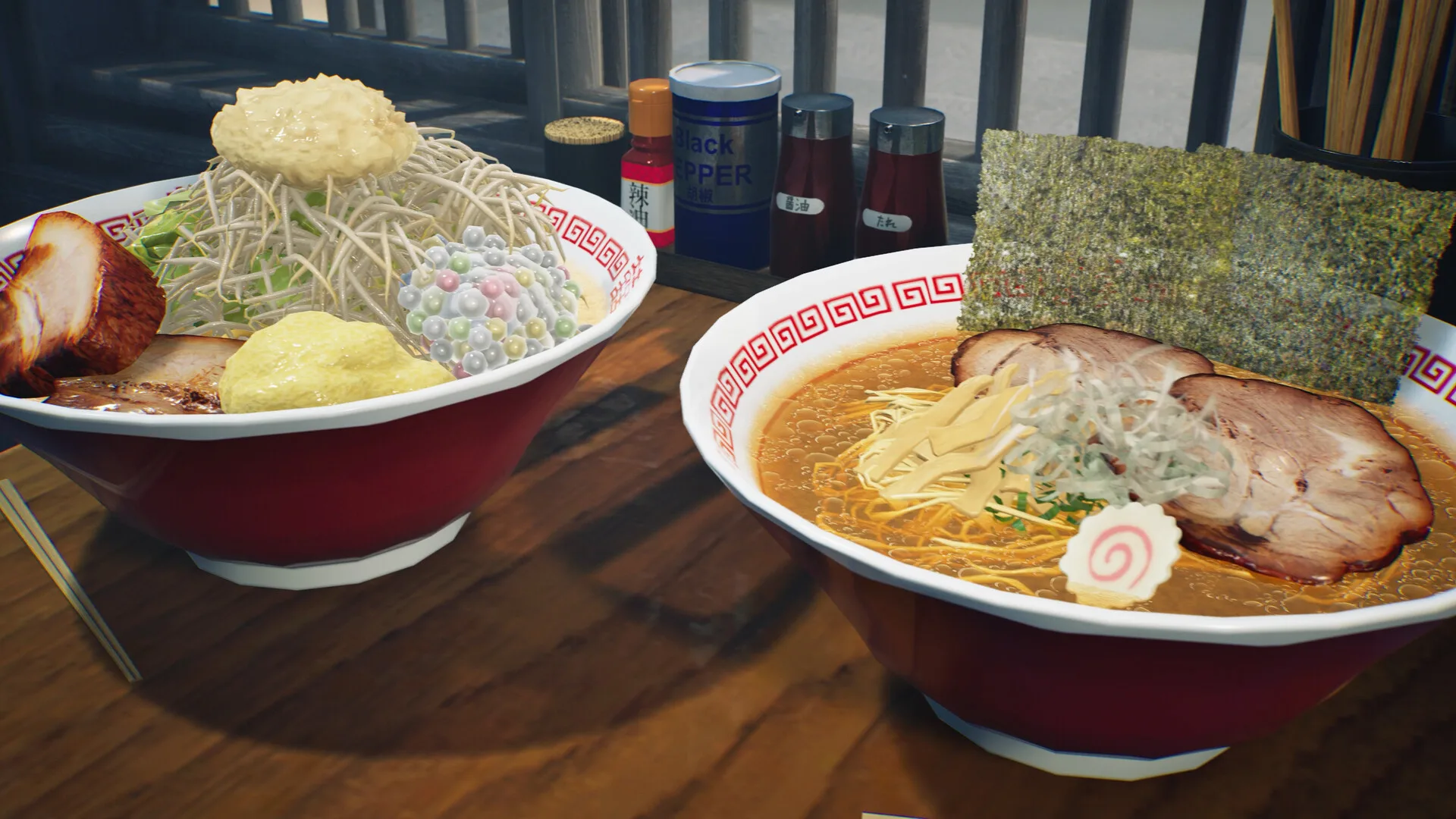
- Japanese Ramen Simulator on Mac: No native macOS version is listed on the official Steam page as of October 2026.
- Primary platform: The game launched into Steam Early Access on PC on October 9, 2026.
- Workaround options: Compatibility layers, virtual machines, and cloud streaming are the main paths Mac players consider.
- Verify before buying: Always confirm platform tags on the Steam store page before purchase.
- Co-op note: The game supports up to 6 players online, so any Mac player joining must run the game through a working method.
Japanese Ramen Simulator Mac Platform Status
Japanese Ramen Simulator is a cooperative ramen shop management game developed and published by Wild Dog, released into Steam Early Access on October 9, 2026 for PC. As of the current Steam store listing, the game is presented as a Windows (PC) title — no native macOS build has been announced by the developer.
This matters for Apple users: Steam only guarantees refunds and support for platforms explicitly listed on a store page. Because no Mac system requirements are published, buying the game expecting a native Mac experience is not currently supported by official information.
The table below summarizes the platform situation:
| Platform | Native Support | Status | Notes |
|---|---|---|---|
| Windows PC | Yes | Confirmed | Listed platform on Steam Early Access |
| macOS | No | Not listed | No native build announced as of October 2026 |
| Steam Deck | Not confirmed | Unverified | Check ProtonDB and the store page for updates |
| Consoles (PS/Xbox/Switch) | No | Not announced | No console versions confirmed |
If you only own a Mac, do not purchase Japanese Ramen Simulator expecting it to run natively. Confirm the platform tags on the official Steam page at the time of purchase, since Early Access titles can add platform support in future updates.
Workaround Options for Mac Players
While there is no native Mac version, Mac users often explore three general approaches for PC-only Steam games. None of these are officially endorsed for Japanese Ramen Simulator, so treat them as community-standard options and test at your own risk.
Compatibility Layer (CrossOver/Wine)
- Runs Windows games on macOS directly
- Performance varies by title and Mac hardware
- Best tested during Steam's refund window
Virtual Machine (Parallels)
- Installs Windows inside macOS
- Works on Apple Silicon with limitations
- Higher cost and setup effort than other options
Cloud Streaming Services
- Streams the game from remote hardware
- Depends on service catalog availability
- Requires stable, low-latency internet
| Method | Cost Level | Setup Difficulty | Key Risk |
|---|---|---|---|
| CrossOver / Wine | Moderate | Medium | Anti-cheat or engine incompatibility |
| Parallels + Windows | High | High | License costs; performance overhead |
| Cloud streaming | Subscription | Low | Game may not be in the catalog |
| Dual-boot Windows (Intel Macs only) | Moderate | High | Not available on Apple Silicon Macs |
Steam's standard refund policy allows returns within the refund window if playtime limits are met. Use that window to test whether a compatibility layer runs Japanese Ramen Simulator acceptably on your specific Mac before keeping the purchase.
Step-by-Step: Trying the Game on a Mac
Follow this sequence if you want to attempt playing Japanese Ramen Simulator from a Mac. Each step is designed to minimize wasted money and time.
Confirm Platform Listing
Open the Steam store page and check the platform tags and system requirements. If macOS appears in a future update, native play becomes the best option.
Check Community Compatibility Reports
Search community discussions on the Steam Community Hub and compatibility databases for reports from other Mac users before choosing a method.
Pick One Workaround Method
Choose between a compatibility layer, virtual machine, or cloud streaming based on your budget, hardware, and internet quality. Start with the lowest-cost option you can test safely.
Test Solo First
Launch a solo session and confirm the kitchen workflow, controls, and performance are stable before inviting friends to a 6-player co-op session.
Join or Host Co-op
Once the game runs smoothly, host or join an online session. Communicate your setup to teammates so they understand any latency quirks from your method.
Whether you play through a workaround or on a native PC, online co-op sessions are shared. As long as your method runs the game, you can join up to five other players managing the ramen shop together.
Game Facts That Apply to Every Platform
Regardless of how you run it, these confirmed details from the official Steam listing apply to all players:
| Feature | Detail |
|---|---|
| Developer / Publisher | Wild Dog |
| Release Date | October 9, 2026 (Early Access) |
| Max Players | Up to 6 online co-op |
| Interface Languages | 10, including English, Japanese, Simplified Chinese, Korean, Spanish |
| Steam User Rating | 88% positive at launch |
| Core Gameplay | Prep ingredients, cook noodles, build recipes, serve customers, manage and design the shop |
The game supports solo play and online cooperation, so Mac players using a workaround can still experience the full feature set — six-player teamwork, original recipe creation, and restaurant management.
Because Japanese Ramen Simulator just entered Early Access, Wild Dog has indicated the game will keep improving based on community feedback. Platform support, new ingredients, and systems may be added over time, so re-check official channels periodically.
Mac Player Checklist:
- Verify macOS support on the Steam page before purchasing
- Read community compatibility reports for your chosen method
- Test performance solo before joining co-op sessions
- Watch official announcements for a possible native Mac release
- Follow Wild Dog's Discord and Steam news for Early Access updates
Official Channels to Watch for Mac News
The most reliable way to learn about a potential native Mac version is to follow the developer's official channels. Wild Dog maintains several active outlets:
| Channel | What to Watch For |
|---|---|
| Steam Community Hub | Patch notes, platform announcements, player reports |
| Official Discord | Developer Q&A and community compatibility threads |
| Wild Dog YouTube | Trailers and feature showcases |
| Wild Dog on X/Twitter | Quick announcements and development updates |
Treat any third-party site claiming a Mac port, an exclusive download, or a "Mac version" outside Steam with caution. Purchases and downloads should only go through the official Steam listing to avoid scams and unsupported copies.
FAQ
Q: Is Japanese Ramen Simulator available on Mac?
No native macOS version is listed on the official Steam page as of October 2026. The game is currently a PC (Windows) title in Steam Early Access. Check the store page periodically, since Early Access games can expand platform support.
Q: Can I play Japanese Ramen Simulator on a Mac using workarounds?
Possibly. Some Mac players use compatibility layers like CrossOver, virtual machines, or cloud streaming services for PC-only Steam games. These are not officially supported, so test within Steam's refund window and read community reports first.
Q: Does Japanese Ramen Simulator support multiplayer?
Yes. The game supports solo play and online co-op for up to 6 players, letting teams divide preparation, cooking, assembly, service, and cleaning roles in a shared ramen shop.
Q: Where should I buy Japanese Ramen Simulator?
Purchase only through the official Steam store page. The developer and publisher is Wild Dog, and the Steam listing is the confirmed official release channel. Be cautious of any site offering unofficial Mac downloads.