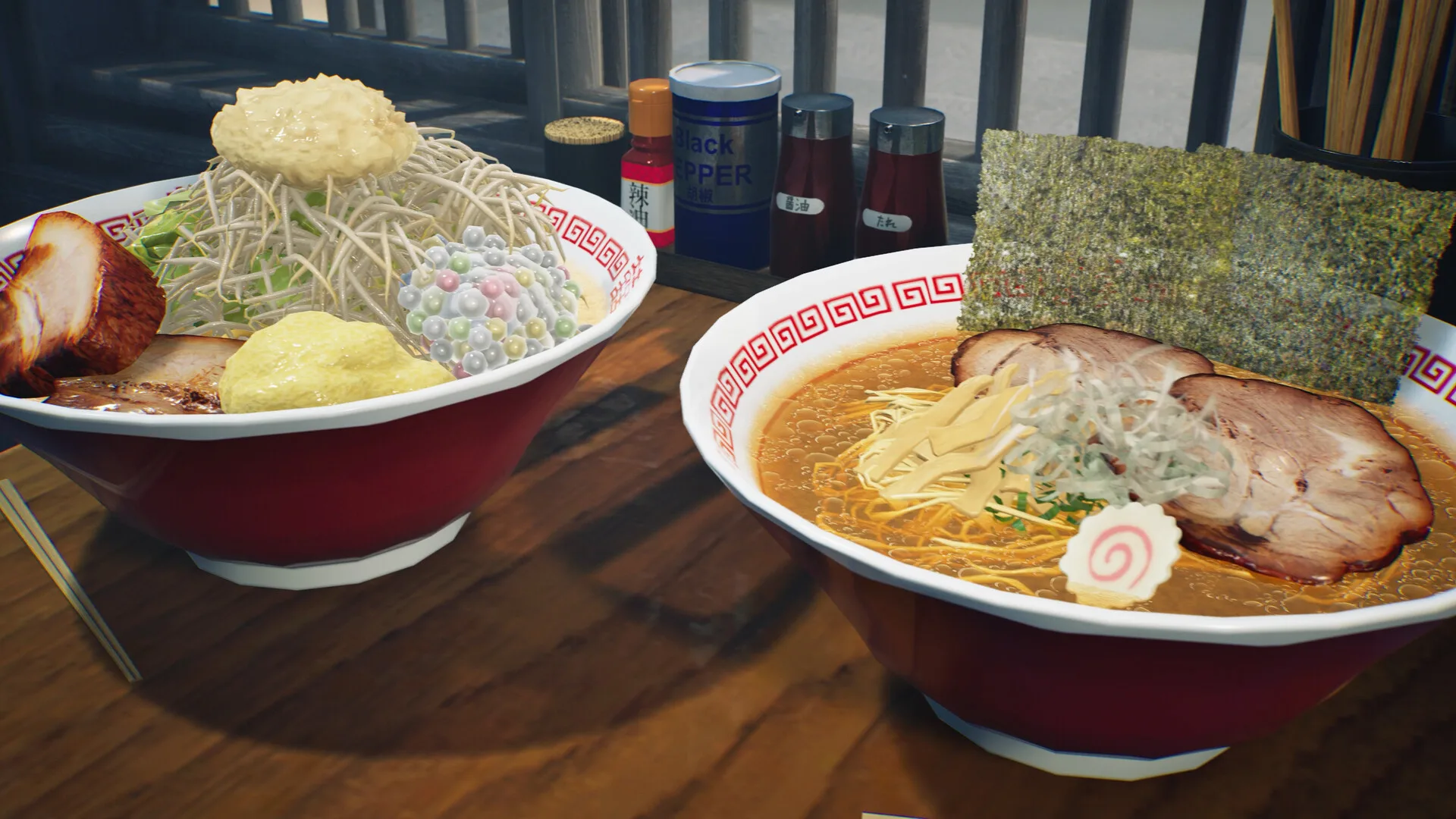
- Japanese Ramen Simulator how to play: a co-op ramen shop simulator on Steam Early Access from Wild Dog.
- Core loop: prepare ingredients, cook noodles, build bowls with broth and toppings, serve, then reset stations.
- Play solo or with up to 6 players online, splitting prep, cooking, service, and cleaning roles.
- Early Access: released October 9, 2026 with 10 interface languages and 88% positive reviews.
- Golden rule: pre-prep before the rush and follow each order exactly instead of assembling from memory.
What Japanese Ramen Simulator Is and How to Start
Japanese Ramen Simulator is a cooperative restaurant management game developed and published by Wild Dog, available on Steam Early Access since October 9, 2026. You run a Japanese ramen shop either solo or in online co-op with up to six players, handling everything from ingredient preparation and noodle cooking to recipe creation, customer service, and shop design.
Video Highlights:
- Up to six players cooperating to run a single ramen shop
- Division of labor across cooking, prep, and shop management
- Original recipe creation and customer service in the core loop
To start playing, purchase the game on Steam, launch it, and choose between a solo session or hosting/joining an online co-op room. The game supports 10 interface languages including English, Japanese, Simplified Chinese, Korean, and Spanish, so set your preferred language in the options before your first shift.
| Setup Item | Details |
|---|---|
| Platform | PC via Steam |
| Release | October 9, 2026 (Early Access) |
| Developer / Publisher | Wild Dog |
| Players | Solo or online co-op, up to 6 |
| Interface languages | 10, including English, Japanese, Chinese, Korean, Spanish |
| Steam review score | 88% positive |
Spend your first minutes inspecting the kitchen, ingredient stations, serving area, and customer space. Knowing where everything sits prevents wasted movement once orders start arriving.
The Core Gameplay Loop: How a Ramen Shop Runs
Every shift in Japanese Ramen Simulator follows a repeatable production cycle. Master this loop before expanding your menu or decorating your shop, because most early losses come from disorganized workflow rather than lack of content.
| Loop Stage | What You Do | Common Mistake |
|---|---|---|
| Prep | Gather noodles, broth components, toppings | Waiting until an order arrives to start prep |
| Cook | Process noodles using kitchen equipment | Starting other tasks mid-cook |
| Assemble | Combine noodles, broth, requested toppings | Mixing up bowls across active orders |
| Serve | Deliver each bowl to the correct customer | Letting finished bowls sit and block stations |
| Reset | Restock, clean, prep next batch | Letting one unfinished task stall the kitchen |
The serve-and-reset rhythm is what separates a smooth shop from a chaotic one. After delivering a bowl, immediately return to the kitchen, restock what you used, and prepare common ingredients again so the next order never waits on preparation.
Always confirm each order's exact topping combination before assembling. A wrong bowl means rework, wasted ingredients, and a delayed customer during busy periods.
Step-by-Step: Your First Successful Shift
Open the Restaurant and Review the Workspace
Inspect the cooking area, ingredient stations, serving area, and customer space. Identify where ingredients are stored and where completed bowls go, and keep frequently used stations clear before customers arrive.
Prepare Ingredients Before the Rush
Gather what expected orders need: noodles, broth components, and toppings. Keep prepared items close to the cooking and assembly stations so nothing interrupts the production line mid-order.
Cook Noodles and Build the Bowl
Process the noodles, combine them with the selected broth, then add the requested toppings. Check the finished bowl against the order before serving it.
Serve Customers and Reset Stations
Match each completed bowl to the correct customer, deliver promptly, then return to the kitchen to restock and prepare the next ingredients.
Avoid Common Early Mistakes
Don't wait for orders to begin prep, don't mix up active bowls, don't let one task block the whole workflow, and in multiplayer, communicate before switching stations or taking over an order.
Use your first few days to learn the complete workflow rather than chasing maximum output. A stable, repeatable loop earns more over a full session than rushed, error-prone service.
Solo vs Co-op: Playing With Up to Six Players
Japanese Ramen Simulator supports online cooperation for up to six players. Co-op sessions work best when the team divides the restaurant workflow into distinct roles instead of everyone doing the same task.
Order & Service Coordinator
- Priority: High
- Monitor incoming orders and announce requirements
- Deliver completed bowls to the correct customers
- Confirm when an order has been served
Ingredient & Prep Worker
- Priority: High
- Gather ingredients before they are needed
- Prep noodles, broth components, and toppings
- Report shortages immediately
Cook & Assembly Worker
- Priority: High
- Handle active cooking and bowl assembly
- Confirm each bowl matches its order
- State which order is being assembled to avoid duplicates
Flexible Support Player
- Priority: Medium
- Fill gaps when a station overloads
- Restock ingredients and clear bottlenecks
- Announce station changes before moving
Solo Adjustment
- Priority: High
- Perform prep, cooking, assembly, and service in a fixed order
- Pre-prepare common ingredients before extra tasks
- Use short, predictable movement routes
| Aspect | Solo Play | Co-op (2-6 Players) |
|---|---|---|
| Coordination | Fixed personal workflow | Verbal role assignments |
| Prep strategy | Batch-prep before each rush | Dedicated prep player keeps stations supplied |
| Bottleneck risk | Higher when multi-tasking | Lower if roles are clearly split |
| Layout need | One compact movement loop | Zoned areas with parallel routes |
In multiplayer, always call out new orders, shortages, and station changes. Most co-op kitchen failures come from two players assembling the same bowl or both leaving a station unattended.
Kitchen Layout and Staffing Basics
A strong layout keeps frequently used stations close together while separating customer movement from kitchen traffic. Plan around player count, ingredient distance, serving points, and cleaning space.
| Layout | Recommended For | Core Plan |
|---|---|---|
| Solo service layout | One-player restaurants | Ingredients near prep area, one short cook-serve loop, clear cleaning path |
| Two-player layout | Duos | Separate prep and serving zones, parallel routes, shared ingredients centrally placed |
| Six-player layout | Large co-op teams | Dedicated prep/cook/serve/clean zones, multiple access routes, open central walkway |
Staffing follows the same logic: hire help only when repetitive duties like cleaning and dish handling measurably delay service. Compare the cost of assistance against revenue lost from delayed orders before committing.
Shorten the storage-to-prep route, avoid placing essential stations at narrow corners, and keep dish-handling routes separate from the busiest cooking path. These three fixes solve most congestion, excessive walking, and player-blocking issues.
First Week Goals:
- Learn the full prep-cook-assembly-serve loop
- Complete a full service day without a wrong bowl
- Build a compact solo movement route
- Run one co-op session with assigned roles
- Test one original recipe during a low-pressure period
FAQ
Q: How do you play Japanese Ramen Simulator?
Buy it on Steam, choose solo or online co-op, then run a ramen shop by preparing ingredients, cooking noodles, assembling bowls with broth and toppings, serving customers, and resetting stations in a repeatable loop.
Q: How many players does Japanese Ramen Simulator support?
The game supports solo play and online cooperation with up to six players. Co-op teams should split prep, cooking, assembly, service, and cleaning into assigned roles.
Q: Is Japanese Ramen Simulator in Early Access?
Yes. It entered Steam Early Access on October 9, 2026, with a stated plan to keep improving based on community feedback, so expect ongoing updates and balance changes.
Q: What languages does the game support?
It supports 10 interface languages, including English, Japanese, French, Italian, German, Spanish, Brazilian Portuguese, Simplified Chinese, Traditional Chinese, and Korean.