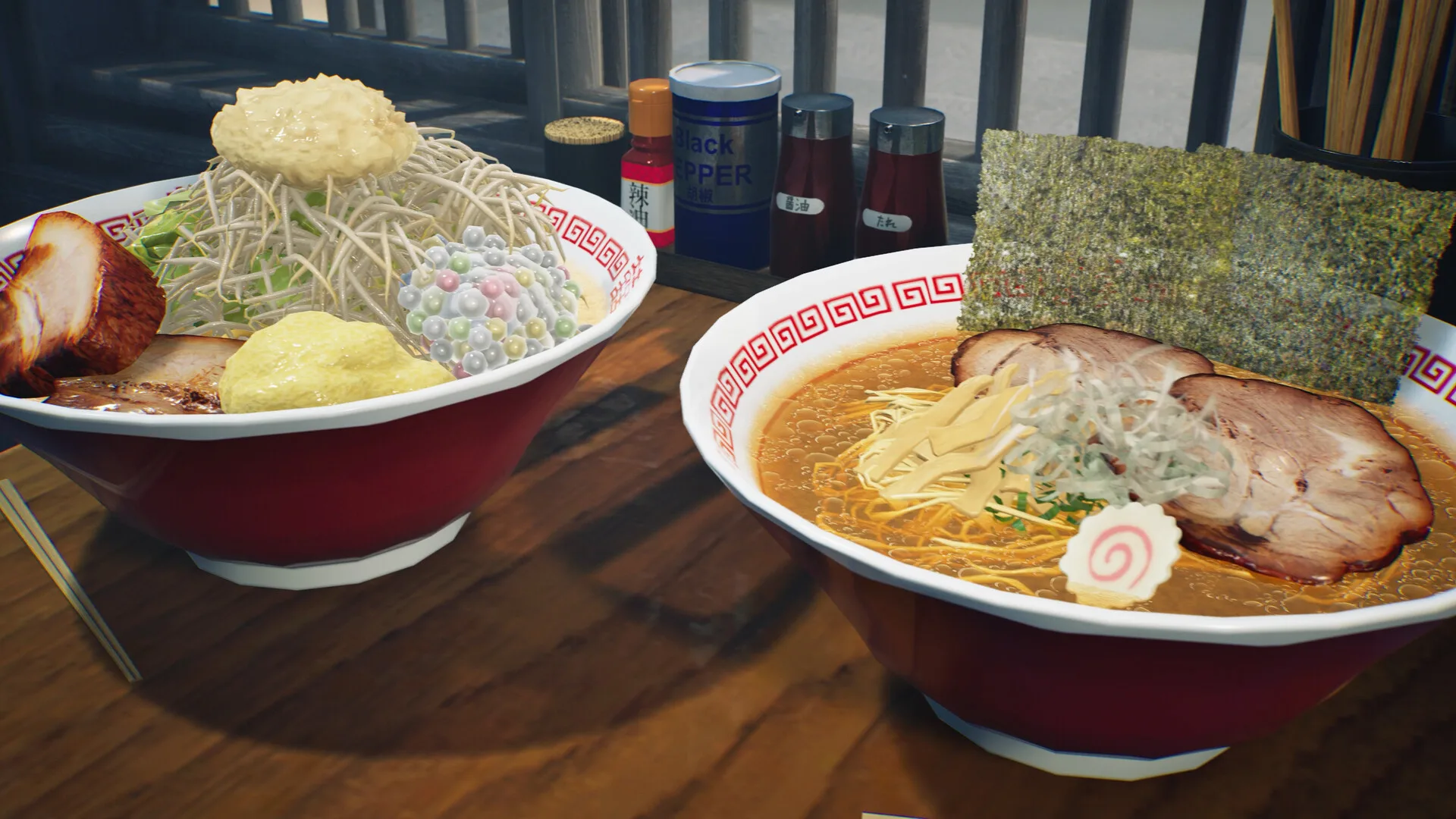
- Restaurant upgrades in Japanese Ramen Simulator should follow a steady sequence: workflow, layout, staff, then menu
- Kitchen layout first: shorter walking routes deliver more profit than fancy decorations early on
- Hire staff only when cleaning or dish tasks visibly slow your service loop
- Scale menus with demand: add complex combinations after the basic workflow is stable
- Co-op teams should split into prep, cooking, assembly, and service roles before expanding
Upgrade Priorities: What to Improve First
Upgrading your restaurant in Japanese Ramen Simulator is not about spending money the moment you have it — it is about removing the slowest part of your service loop. The game, developed by Wild Dog and available in Steam Early Access, rewards players who keep preparation, cooking, assembly, and service flowing without interruption.
Video Highlights:
- Official trailer showing six-player cooperative ramen shop management
- Core loop: prepare ingredients, cook noodles, build bowls, serve customers
- Division of labor across kitchen stations
- Restaurant growth through design and menu creation
Your first upgrades should target the bottleneck that costs you the most time. Use this priority table to decide:
| Priority | Upgrade Area | Why It Comes First | Typical Result |
|---|---|---|---|
| 1 | Ingredient station placement | Longest walk slows every order | Faster prep cycle |
| 2 | Cooking and serving loop | Keeps bowl assembly in one short route | More orders per rush |
| 3 | Cleaning and dish handling | Repetitive tasks interrupt service | Sustained service speed |
| 4 | Menu variety | Adds income once workflow is stable | Higher revenue per customer |
| 5 | Decorations | Visual value only after efficiency | Better shop feel, no rush |
Before buying any upgrade, watch one full service rush and note where you walk the most. The station you visit most often should be closest to your main work area — that single change often outperforms several small purchases.
Step-by-Step Restaurant Growth Path
Follow this progression to grow from a small solo shop into a stable multi-player restaurant without wasting Early Access funds on premature purchases.
Stabilize the Core Loop
Learn the full preparation, cooking, assembly, and service sequence until you can complete simple orders without backtracking. Keep the basic noodle-and-broth bowl as your menu foundation.
Tighten the Layout
Rearrange storage, cooking, serving, and cleaning zones so frequently used stations sit inside one short movement loop. Separate kitchen traffic from customer areas.
Prepare Before the Rush
Batch-prepare noodles, broth components, and common toppings before peak customer periods. Pre-stocked stations prevent order delays when several customers arrive together.
Add Staff for Repetitive Work
Once cleaning or dish collection repeatedly pulls you away from cooking and serving, bring in assistance for those tasks. Hire only when the delay is measurable.
Expand the Menu Strategically
Introduce topped bowls and custom combinations in low-pressure periods. Keep successful recipes as repeatable preparation patterns instead of improvising every order.
Do not expand your menu before your kitchen can handle it. Complex combinations with long preparation chains create congestion that slows every order, including your simplest bestsellers.
Staffing Upgrades: When Help Pays for Itself
Staff decisions depend heavily on whether you run the shop alone or with a team. Compare the cost of assistance against the revenue lost from delayed orders before committing.
| Staff Role | Main Function | Best Time to Hire | Solo Priority | Co-op Priority |
|---|---|---|---|---|
| Cleaning support | Removes repetitive cleaning interruptions | Cleaning repeatedly delays service | High | Medium |
| Dish-handling support | Collects and washes used dishes | Dishes accumulate faster than players process them | Consider early | Low if a player covers it |
| General service assistance | Covers routine tasks | Stable demand with competing duties | Medium | Medium |
| No-staff plan | Player handles everything | Low customer volume, early days | Works with compact layout | Works with clear role assignments |
Solo Shop Strategy
- Prioritize cleaning support first
- Use a compact single-loop layout
- Keep the menu lean to limit movement
Co-op Team Strategy
- Assign a permanent dish player before hiring
- Use assistance for neglected duties only
- Avoid duplicating a teammate's covered task
A hire pays off when the assistance cost is lower than the revenue you lose from delayed orders. Track one busy service period before and after hiring to verify the decision.
Layout Upgrades by Restaurant Size
Your layout should evolve as your team grows from solo operation to the maximum six-player cooperative session.
| Layout Type | Recommended For | Core Plan | Problem Solved |
|---|---|---|---|
| Solo service layout | One player | Ingredients near prep, cooking and serving in one loop | Repeated walking across the same route |
| Two-player layout | Duos | Split prep and serving zones, parallel routes | Players colliding at shared stations |
| Six-player layout | Full teams | Dedicated prep, cook, serve, and clean zones | Crowding and blocked ingredient access |
| Traffic-control plan | Any size | Open central walkway, no stations at corners | Congestion at narrow points |
After every layout change, run one service rush. If players still cross paths at the same station more than twice, move that station or add a second access route around it.
Upgrade Milestones Checklist
Restaurant Upgrade Milestones:
- Complete the core prep-cook-serve loop without backtracking
- Rearrange storage, cooking, and serving into one short route
- Batch-prepare ingredients before every customer rush
- Hire cleaning or dish support when delays become measurable
- Test one new menu combination during a low-pressure period
Japanese Ramen Simulator is in Early Access with ongoing updates tracked on the Steam Community Hub. Balance changes may affect ingredient value and staffing behavior, so re-check this guide after major patches.
FAQ
Q: What should I upgrade first in Japanese Ramen Simulator?
Upgrade ingredient station placement first. Shortening the walk between storage and preparation improves every order you serve, making it more valuable than decorations or menu expansion in the early game.
Q: When should I hire staff for my ramen restaurant?
Hire staff when repetitive tasks like cleaning or dish handling measurably delay your service. If the cost of assistance is lower than the revenue lost from delayed orders, the hire pays for itself.
Q: Does the upgrade strategy differ between solo and co-op play?
Yes. Solo players benefit most from compact layouts and early cleaning support, while co-op teams should assign clear roles for prep, cooking, assembly, and service before hiring outside help.
Q: How do I know if my kitchen layout needs an upgrade?
Watch one full service rush. If you cross the same route repeatedly, collide with teammates at shared stations, or wait on ingredients, your layout is the bottleneck and should be your next upgrade.