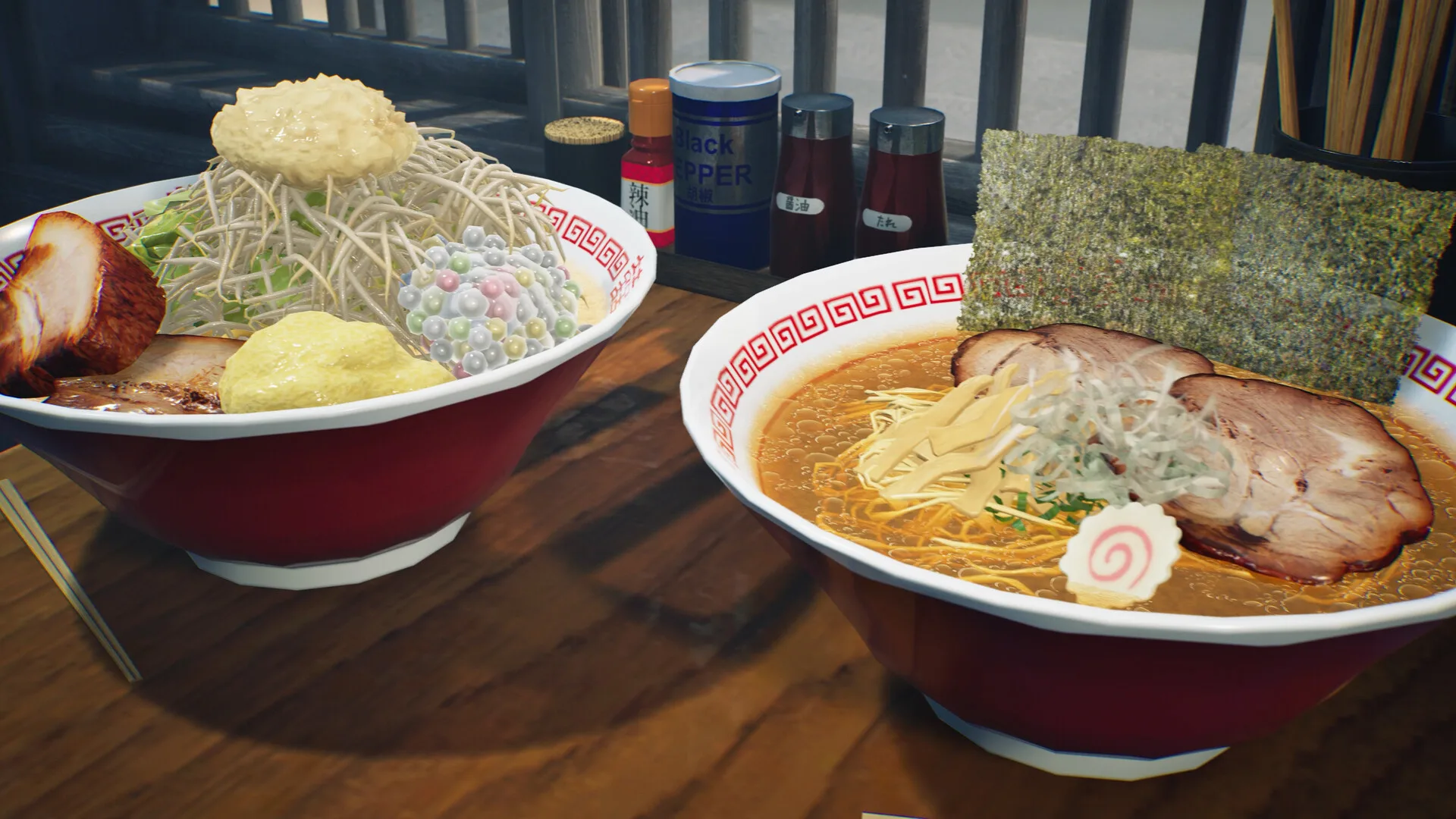
- Japanese Ramen Simulator tutorial covers the full loop: prep, cook, assemble, serve, reset.
- Co-op play supports up to six players online, with solo mode also available.
- Pre-preparation before the rush is the single biggest skill for new shop owners.
- Station layout determines efficiency; keep cooking, prep, and serving stations close together.
- Early game is for learning the workflow, not chasing maximum output.
Japanese Ramen Simulator Tutorial: The Core Workflow
Japanese Ramen Simulator is a cooperative ramen shop management game from developer Wild Dog, released into Steam Early Access on October 9, 2026. It supports solo play or online co-op for up to six players. The core gameplay loop is simple to learn but demanding to master: prepare ingredients, cook noodles, build each bowl to match the order, serve the customer, and reset your stations before the next rush.
The official announcement trailer below shows the co-op kitchen flow in action:
Video Highlights:
- Up to six players cooperate to run one ramen shop
- Players divide tasks between cooking, prep, and service
- Shop management and customization are handled together as a team
Spend your first in-game day learning where every station sits: ingredient storage, cooking equipment, assembly counter, and the serving area. A clean mental map of your workspace saves more time than any advanced technique later.
| Workflow Stage | What You Do | Common Mistake to Avoid |
|---|---|---|
| Preparation | Gather noodles, broth components, toppings before orders | Waiting until an order arrives to start prep |
| Cooking | Process noodles and broth with kitchen equipment | Cooking without confirming the active order |
| Assembly | Combine noodles, broth, and requested toppings in the bowl | Assembling bowls from memory instead of the ticket |
| Service | Deliver the finished bowl to the correct customer | Mixing up bowls during multi-order rushes |
| Reset | Restock ingredients and clear stations | Letting one unfinished task block the whole kitchen |
Step-by-Step: Opening Day Walkthrough
Follow this sequence for a smooth opening, whether playing solo or with friends. Each step builds on the previous one, so resist the urge to skip ahead.
Open the Restaurant and Review the Workspace
Inspect the cooking area, ingredient stations, serving zone, and customer space. Identify where ingredients are stored and where completed bowls are placed, and clear frequently used stations before customers arrive.
Prepare Ingredients Before the Rush
Gather everything expected orders will need: noodles, broth components, and toppings. Keep prepared items physically close to the cooking and assembly stations so you are not running across the kitchen mid-service.
Cook the Noodles and Build the Bowl
Process the noodles using the cooking equipment, combine them with the selected broth, then add the requested toppings. Always check the finished bowl against the order before serving.
Serve Customers and Reset the Stations
Match each completed bowl to the correct order, deliver it promptly, then return to the kitchen to restock and prepare the next ingredients.
Review and Refine
After each service period, note which step caused delays. Adjust your layout, prep order, or role assignments so the bottleneck moves out of your workflow.
- Do not wait for orders before starting every preparation task
- Do not mix up bowls when several orders are active at once
- Do not let one unfinished task freeze the entire kitchen
- In multiplayer, communicate before switching stations or taking over an order
Solo vs. Co-op: How the Tutorial Changes
The same workflow plays out differently depending on player count. Solo players need a fixed, repeatable personal loop, while co-op teams win through role division and communication.
| Aspect | Solo Play | Co-op (2-6 Players) |
|---|---|---|
| Coordination | Fixed personal routine replaces verbal calls | Announce orders, shortages, and station changes |
| Prep strategy | Batch common ingredients early | Dedicated prep worker keeps stations supplied |
| Error recovery | You fix every mistake yourself | Flexible support player covers bottlenecks |
| Biggest risk | Travel distance between stations | Players blocking each other or duplicating bowls |
Order and Service Coordinator
- High priority role
- Monitors incoming customer orders
- Calls out requirements and delivers completed bowls
Ingredient and Prep Worker
- High priority role
- Prepares noodles, broth, and toppings ahead of demand
- Reports shortages immediately
Cook and Assembly Worker
- High priority role
- Handles active cooking and bowl assembly
- Confirms each bowl matches the order before handoff
State which order you are assembling before you start it. This single habit prevents duplicate bowls, the most common co-op failure during busy service.
Kitchen Layout and Station Placement
Layout determines how much of your service time is spent cooking versus walking. The goal is a short loop between storage, prep, cooking, and serving, with cleaning routes kept separate from the busiest cooking path.
| Layout | Best For | Core Plan |
|---|---|---|
| Solo service layout | One-player restaurants | One short loop between prep, cooking, and serving |
| Two-player layout | Duos | Separate prep and serve zones with parallel routes |
| Six-player layout | Full co-op teams | Dedicated zones with multiple access routes |
| Traffic-control plan | Any size | Shorten storage-to-prep route, keep central walkway open |
Never place essential stations at narrow entrances or corners. When several players share a kitchen, congestion causes more lost revenue than slow cooking.
Tutorial Completion Checklist
Use this checklist to confirm you have internalized the full Japanese Ramen Simulator tutorial before expanding your menu or hiring staff.
Tutorial Milestones:
- Memorize the location of every kitchen station
- Serve a full service period without prep delays
- Complete a multi-order rush with zero wrong bowls
- Establish a repeatable serve-and-reset rhythm
- Assign and hold a fixed role in a co-op session
FAQ
Q: How many players does Japanese Ramen Simulator support?
The game supports solo play and online co-op for up to six players on Steam. Team sizes between two and six work well with divided kitchen roles.
Q: Do I need friends to enjoy the Japanese Ramen Simulator tutorial?
No. Solo play is fully supported. Solo players replace verbal coordination with a fixed personal workflow: batch prep, short movement routes, and a repeatable serve-and-reset loop.
Q: What is the biggest beginner mistake in this tutorial?
Starting preparation only after an order arrives. Pre-preparing noodles, broth components, and common toppings before the rush is the single most effective habit for new shop owners.
Q: Where can I follow official updates for the game?
Follow the official Steam community hub and the Wild Dog Discord and YouTube channels. The game is in Early Access, so balance and content changes may affect workflow tips over time.