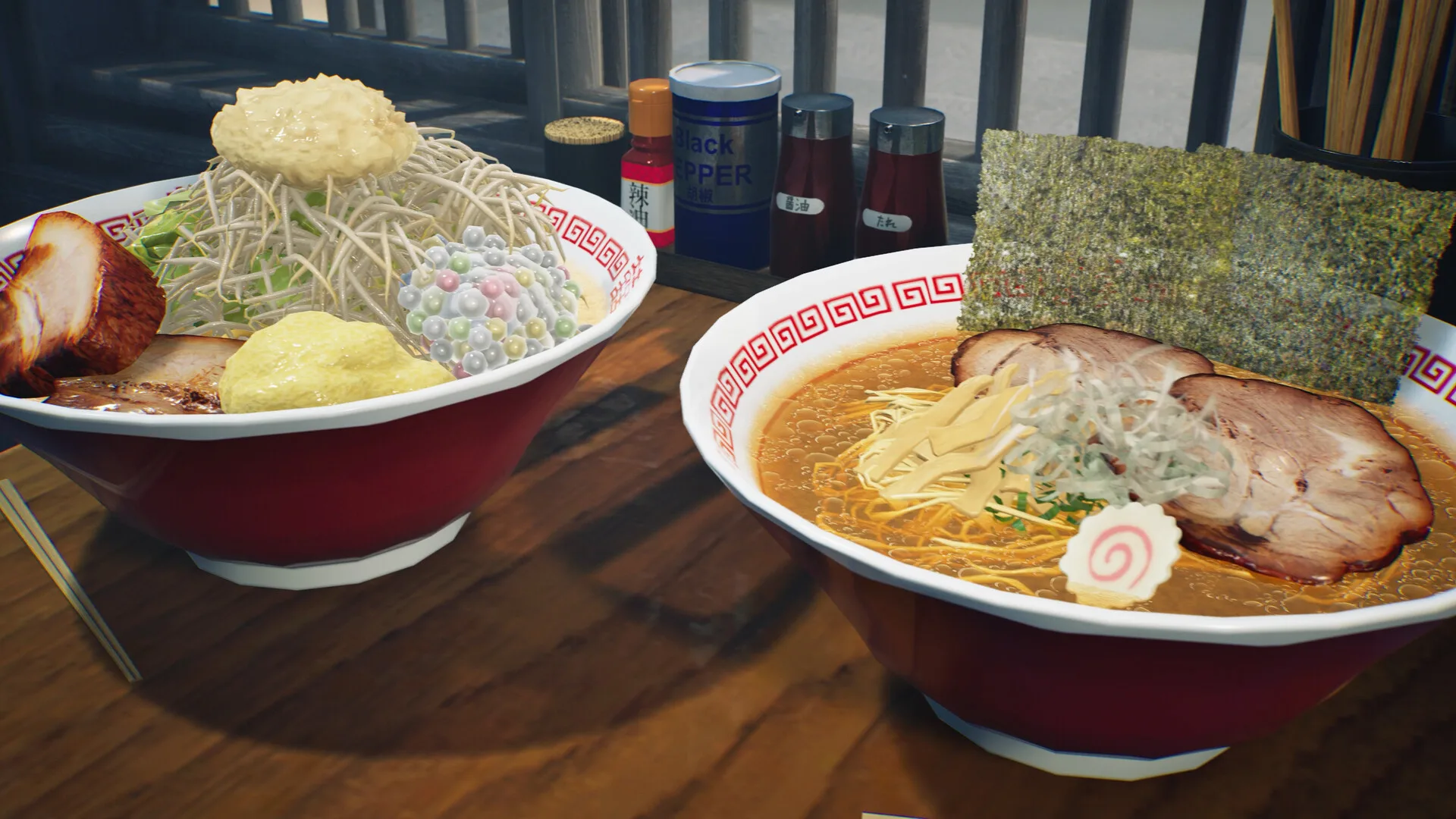
- Japanese Ramen Simulator live stream sessions work best with up to six players in online co-op.
- Assign clear kitchen roles (orders, prep, cooking, support) before opening the restaurant.
- Stream the Early Access build on Steam, released October 9, 2026, with 88% positive reviews.
- Use compact layouts so viewers can follow the action without confusing camera movement.
- Follow the official Discord and Steam hub for update news worth covering on stream.
Why Japanese Ramen Simulator Is a Strong Streaming Pick
A Japanese Ramen Simulator live stream combines two things audiences love: chaotic cooperative kitchens and satisfying cooking simulation. Developed and published by Wild Dog, the game entered Steam Early Access on October 9, 2026, supporting single-player and online co-op for up to six players with 10 interface languages.
The core loop — preparing ingredients, cooking noodles, building bowls, and serving customers — creates natural on-stream moments: missed orders, topping mistakes, and last-second saves. Because the game rewards teamwork and communication, co-op streams generate the same collaborative energy that makes restaurant simulators popular with viewers.
| Stream Feature | Detail | Viewer Appeal |
|---|---|---|
| Max players | Up to 6 online co-op | Large collab potential |
| Platform | Steam (PC), Early Access | Fresh content, evolving game |
| Reviews | 88% positive on Steam | Credible pick for new viewers |
| Languages | 10 interface languages | International audience reach |
| Core loop | Prep, cook, assemble, serve | Clear, watchable workflow |
Early Access games change quickly. Streaming shortly after each update gives your channel a recurring reason to go live and rank for update-related searches.
Co-op Roles That Keep a Stream Watchable
A six-player restaurant only works when responsibilities are divided. The same structure that keeps the kitchen efficient also keeps a stream easy to follow, because viewers can track each player's contribution.
Order & Service Coordinator
- Monitors incoming customer orders
- Announces requirements to the kitchen
- Delivers completed bowls to the right customers
- Natural "shot caller" role for stream commentary
Prep Worker
- Gathers ingredients before they are needed
- Prepares noodles, broth components, and toppings
- Reports shortages immediately
- Keeps the cooking area supplied during rushes
Cook & Assembly
- Handles active cooking processes
- Combines noodles, broth, and requested toppings
- Confirms each bowl matches the order
- States which order is being assembled to avoid duplicates
Flexible Support
- Fills gaps when a station overloads
- Restocks ingredients and clears bottlenecks
- Announces station changes before moving
Solo Streaming Adjustment
- Uses a fixed, repeatable personal workflow
- Prepares common ingredients before extra tasks
- Keeps short, predictable movement routes
Always announce station changes before taking over another player's task. Silent takeovers cause duplicate bowls and dropped orders — the fastest way to lose a co-op session.
Live Stream Setup, Step by Step
Verify the Build and Update Status
Check the Steam page and community hub before going live so you can mention the current version and any recent patch notes during the stream.
Organize the Co-op Lobby
Create or join a session with up to six players, confirm voice chat, and assign kitchen roles before opening the restaurant to customers.
Optimize the Kitchen Layout
Place ingredient storage near prep stations, keep the cooking and serving stations in one short loop, and leave the central walkway open for all players.
Prep Before the Rush
Gather noodles, broth components, and common toppings before the first customers arrive, and stage them close to their relevant stations.
Stream With a Consistent Rhythm
Follow the serve-and-reset loop — deliver bowls, restock, return to prep — so the on-screen action stays clean and readable for viewers.
Separate cleaning and dish-handling routes from the busiest cooking path. This prevents players from blocking each other, which also keeps the stream frame less chaotic.
Layouts by Player Count
| Layout | Best For | Core Plan | Problem Solved |
|---|---|---|---|
| Solo service | 1 player | Short loop between prep, cooking, and serving | Repeated walking across the same route |
| Two-player | 2 players | Separate prep and serving zones, parallel routes | Players competing for one station |
| Six-player | Full co-op | Dedicated prep/cook/serve/clean zones, multiple access routes | Crowding and blocked ingredient access |
| Traffic-control | Any size | Shorten storage-to-prep distance, avoid corner stations | Congestion and excessive walking |
For a Japanese Ramen Simulator live stream with six players, assign each person a visible operating area. Viewers can then follow individual storylines instead of one crowded kitchen.
Pre-Stream Checklist
Before You Go Live:
- Confirm game version and recent patch notes on Steam
- Set up voice chat and assign kitchen roles
- Plan a kitchen layout for your player count
- Prepare ingredients before the customer rush
- Bookmark official channels for update announcements
Follow the official Discord (discord.gg/wilddog), the Steam Community Hub, and Wild Dog's YouTube and X accounts for announcements worth covering live.
FAQ
Q: How many players can join a Japanese Ramen Simulator live stream session?
The game supports single-player and online co-op for up to six players, making it flexible for solo streams or large collaborative broadcasts.
Q: Where can I play Japanese Ramen Simulator for streaming?
The game is available on Steam for PC and is currently in Early Access, released October 9, 2026, with 88% positive user reviews.
Q: What is the best role assignment for a six-player stream?
Use an order coordinator, prep worker, cook and assembly worker, plus flexible support players. Announce every station change to avoid duplicate bowls and dropped orders.
Q: How do I keep the stream easy to follow during busy periods?
Pre-prepare ingredients before rushes, use a compact kitchen layout with clear zones, and maintain a consistent serve-and-reset rhythm so the on-screen action stays readable.